PRODUCT / DESKTOP

AgentOS, installed on your desktop.

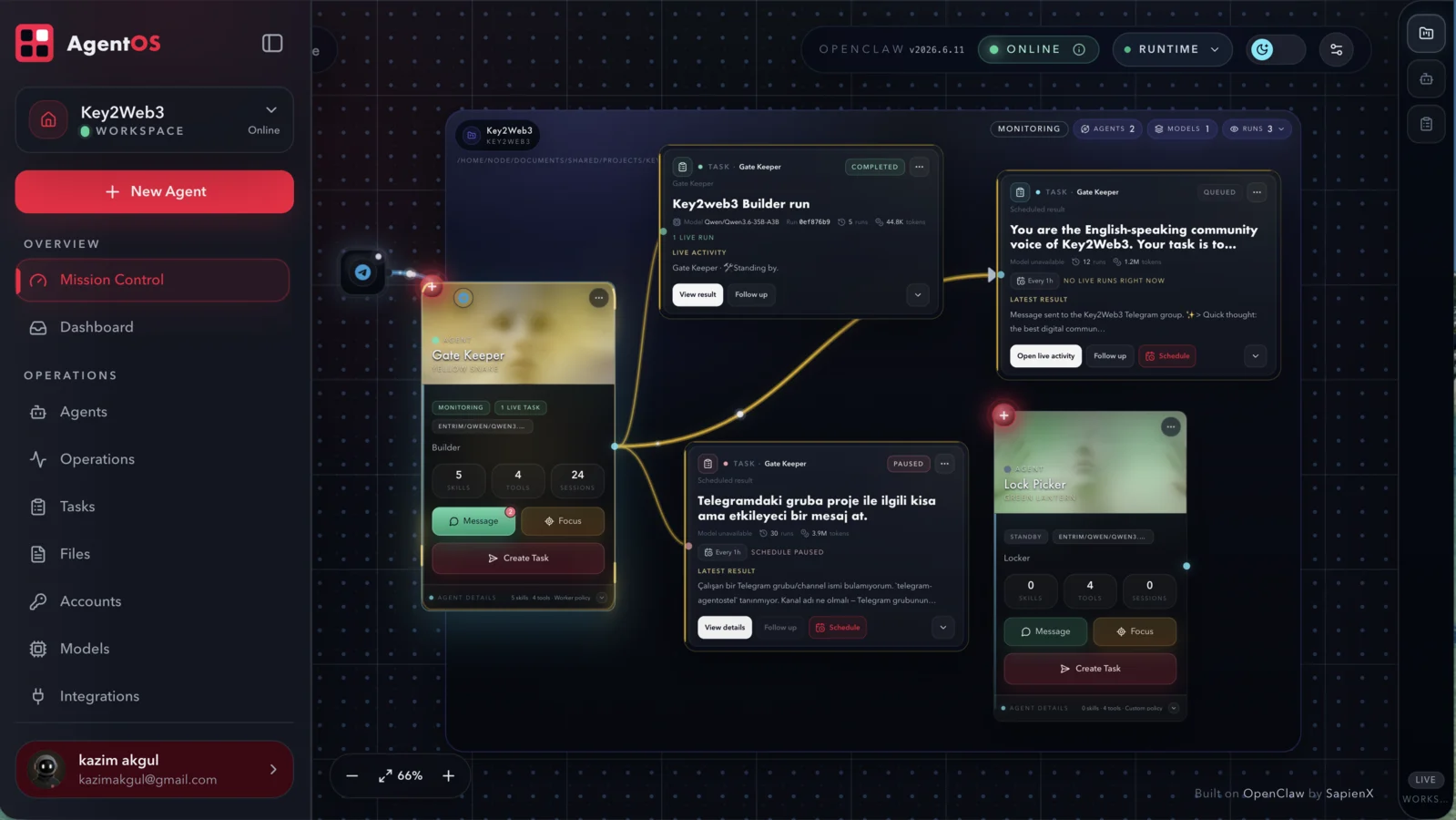
Run the AgentOS workspace as a native Tauri application on macOS, Windows and Linux. The desktop shell keeps the existing AgentOS product and OpenClaw runtime boundaries intact.

DESKTOP RELEASE CHANNEL

One AgentOS experience across web and desktop.

Desktop builds are published with the corresponding AgentOS release. Use the release page to find the installer for your platform as each signed build becomes available.

View release assets
CHOOSE YOUR PLATFORM

Download AgentOS Desktop.

Install the native app, then connect the workspace, models and runtime you want to operate.

DMG installer

macOS

A native desktop shell for Apple Silicon and Intel Macs.

Use the latest release page for the published macOS build.View macOS release
Windows installer

Windows

Install AgentOS as a native Windows desktop application.

Use the latest release page for the published Windows build.View Windows release
AppImage · DEB · RPM

Linux

Choose the Linux package that fits your desktop environment.

AppImage is the simplest starting point; package builds follow the release.View Linux release

The release page is the source of truth for the current version and platform assets. Do not install unsigned or unofficial builds when operating a trusted workspace.

WHAT DESKTOP CHANGES

A native shell around the AgentOS you already know.

Same AgentOS workspace

Mission Control, workers, tasks and workspace context remain the product surface. Desktop does not introduce a second app or a separate data model.

Packaged local server

The desktop bundle starts the packaged AgentOS server on loopback and opens it in a native WebView.

OpenClaw stays authoritative

The desktop host owns the packaged AgentOS process; OpenClaw remains the runtime authority for execution, sessions, models and channels.

GET STARTED

From installer to first workspace.

  1. 01DownloadChoose the current release for your operating system.
  2. 02InstallOpen the platform installer and launch AgentOS.
  3. 03OperateConnect a ready model and start with one reviewable task.

Prefer a hosted deployment?

Use the published Railway path when you want AgentOS and its runtime in a persistent hosted environment.

Deploy on Railway